
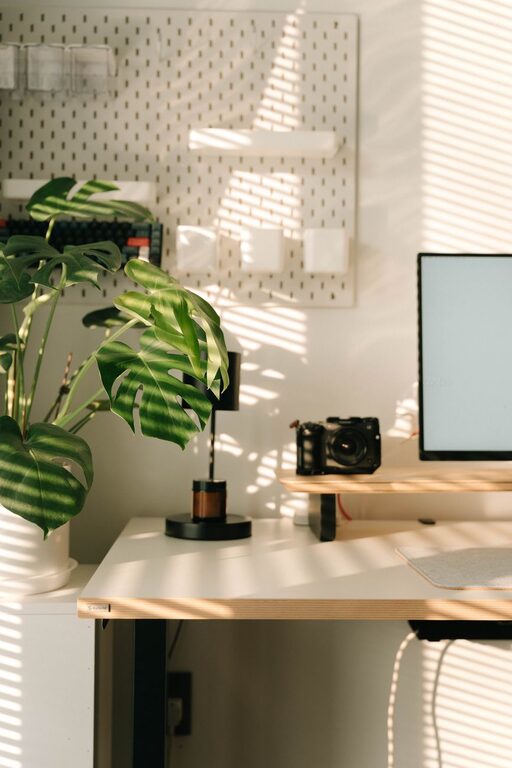
Creating a home workspace that is both cozy and functional can greatly improve your productivity and well-being. Whether you work remotely full-time or just need a reliable spot for occasional tasks, a well-designed workspace helps keep you focused and comfortable throughout the day. This guide offers practical tips to help you set up a home office that feels inviting and supports your work needs.
Choose the Right Location
Consider Natural Light
Natural light is one of the best elements for a home workspace. Position your desk near a window if possible to take advantage of daylight. Natural light helps reduce eye strain and can boost your mood and energy levels. However, avoid direct glare on your screen by using curtains or blinds to soften sunlight.
Minimize Distractions
Look for a quiet area of your home where distractions are limited. If you live with family or roommates, communicate your workspace hours to reduce interruptions. A corner in a spare room, a basement nook, or even a small space in your bedroom can work well as long as it feels somewhat separate from high-traffic zones.
Invest in Comfortable and Ergonomic Furniture
Choose an Adjustable Chair
Comfort is key when you spend hours sitting at your desk. Invest in an ergonomic chair with adjustable height, proper lumbar support, and comfortable padding. This will help prevent back pain and keep you comfortable during long work sessions.
Pick a Desk that Fits Your Needs
Your desk should be the right size for your workspace and work style. If your tasks require multiple monitors, ample writing space, or specific equipment, choose a desk that accommodates all these without feeling crowded. Standing desks or adjustable desks are also excellent options to alternate sitting and standing throughout the day.
Organize Efficiently
Use Storage Solutions
Clutter can hinder productivity and increase stress. Use shelves, drawers, and containers to keep your supplies, documents, and tools organized. Label storage bins for easy access and maintain a clean surface to foster concentration.
Keep Cables Managed
Messy cables can look untidy and cause unnecessary distractions. Use cable clips, sleeves, or under-desk trays to keep wires organized and out of the way. A clean setup also reduces the chance of accidental unplugging or tripping hazards.
Personalize Your Workspace Thoughtfully
Add Cozy Elements
Incorporate items that make your space inviting. A soft rug, decorative pillows for your chair, or a cozy blanket can add warmth and texture. Plants also bring life to your workspace and improve air quality.
Select Calm and Inspiring Colors
Choose colors that create a suitable atmosphere for work. Soft blues, greens, or earth tones are known for their calming effect. If you prefer more energetic colors, use them as accents rather than a full room palette to avoid overstimulation.
Optimize Lighting
Combine Ambient and Task Lighting
In addition to natural light, ensure you have adequate artificial lighting. Use soft ambient lights to create a warm atmosphere and a focused task lamp to illuminate your work area clearly. Adjustable desk lamps with dimming options are great for customizing light levels depending on the time of day.
Avoid Screen Glare
Position lights and your computer screen so that glare is minimized. This will help prevent eye strain. If needed, use an anti-glare screen protector on your monitor.
Incorporate Technology Wisely
Select the Right Tools
Equip your workspace with the technology you need for smooth work. A reliable computer, high-speed internet, and necessary accessories like a keyboard, mouse, and printer are essentials. Wireless devices can reduce clutter.
Use Noise-Cancelling Options
If you work in a noisy environment, consider noise-cancelling headphones or a white noise machine to help you concentrate better. These tools can make a significant difference in maintaining focus.
Establish a Routine and Boundaries
Set Work Hours
Creating a schedule helps you separate work time from relaxation. Stick to consistent start and end times to maintain balance and prevent overworking.
Designate Your Workspace for Work Only
Try to keep your workspace for work-related activities. This mental boundary encourages productivity and helps your brain associate the physical space with focus and task completion.
Keep It Fresh and Inspiring
Rotate Decorations and Plants
To keep your workspace feeling fresh, occasionally switch out decor or rearrange items. Adding seasonal plants or refreshing artwork can keep the environment motivating.
Take Breaks and Move Around
Remember to take regular breaks to stretch or move your body. Ergonomics and comfort matter, but so does overall health. A well-thought-out space should encourage balance between productivity and well-being.
—
Creating a home workspace that balances coziness with functionality takes mindful planning, but the benefits are well worth the effort. By considering location, ergonomics, organization, lighting, and personal touches, you can design a space that supports your daily work and makes home working a comfortable and enjoyable experience.